Branch-Delivered Onboarding
Standardize the content, not the trainer.
A fast-growing home-care company needed every new caregiver — in every branch, in every state — to start their first shift the same way. Caregiver managers delivered that training themselves, so the program had to land the same regardless of which one of them was in the room. This is how it was rebuilt to hold that line.
I N T E R A C T I V E · P R O T O T Y P E The Mobile Caregiver Field Guide app Tap through the five sections, the late-arrival timeline and the map screen. Built to show the intended look and behavior — an independent prototype, not client work. Open the field guide ↗01 · The Challenge
Consistency across every branch, without standardizing the trainer.
Family Resource Home Care was expanding across multiple states, and caregiver onboarding was riding along on whatever each branch had time for. Self-guided training couldn't hold consistency at that pace: a new caregiver's first days looked different in every location, and the rules that protect clients — clocking in, privacy, boundaries, safety — are exactly the ones that can't be allowed to drift.
The brief: give every branch manager one package to deliver, so a caregiver's first shift looks the same whether they start in one state or another.
“Every rule appears where it lives in the workday, attached to the client it protects — not as a policy list to memorize.”
The design premise the whole series is built around.
02 · The Approach
One package, built to be delivered the same way everywhere.
The bet was simple: standardize the content, not the trainer. Instead of asking every branch to teach the same things differently, the program gave caregiver managers one package to deliver — slides, produced videos, and the supporting components — so a branch in one state ran the same first day as a branch in another.
The orientation videos carry the delivery. Each one walks the learner through the job the way the job actually happens — a day in the life, from packing a go bag to calling off correctly — so every rule appears where it lives in the workday, attached to the client it protects, rather than as a policy list to memorize.
Real client, real program. Program content is de-identified where appropriate and scheduling software is de-branded in every sample shown here — this is real client work for Family Resource Home Care, not a fictional demo. This case study documents the program as designed for rollout and the materials built to support it; rollout was still in progress when I left FRHC.
03 · What Shipped
Four modules, one video series.
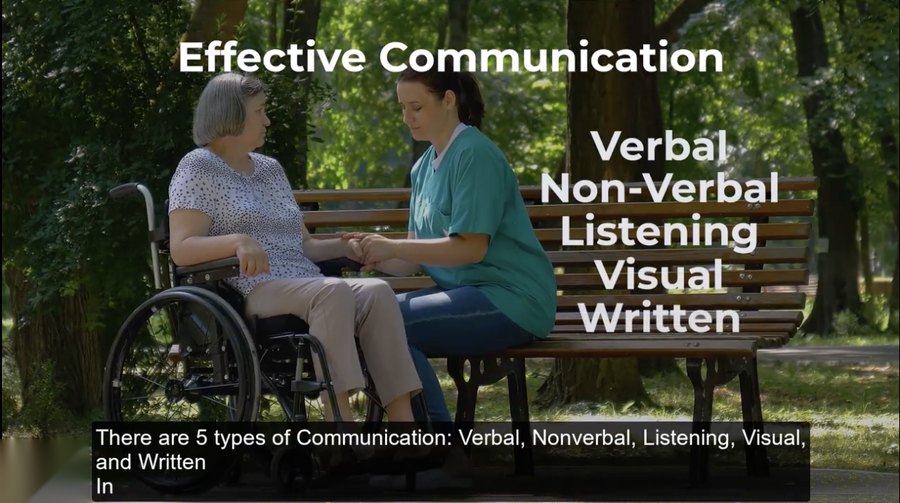
A complete orientation video series produced in Camtasia and Audiate — fully captioned, mixing live footage, flat illustration, and slide builds — packaged with branch-ready slides and visuals built in Canva for delivery in the branches. The series covers the areas a new caregiver has to get right from day one:
A Day in the Life
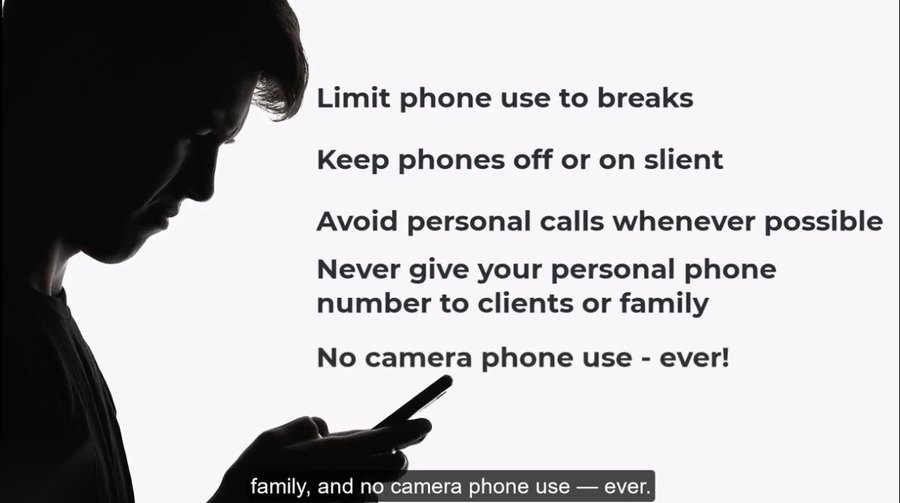
One ordinary shift in order — go bag, arrival, care plans, the scheduling app, clocking in, phones, and call-offs.
Client Rights, HIPAA & PHI
What clients have the right to, what counts as protected health information, and the caregiver's daily responsibilities to both.
Safety, Respect & Professionalism
Professional boundaries — the difference between a crossing and a violation, and what to do about each.
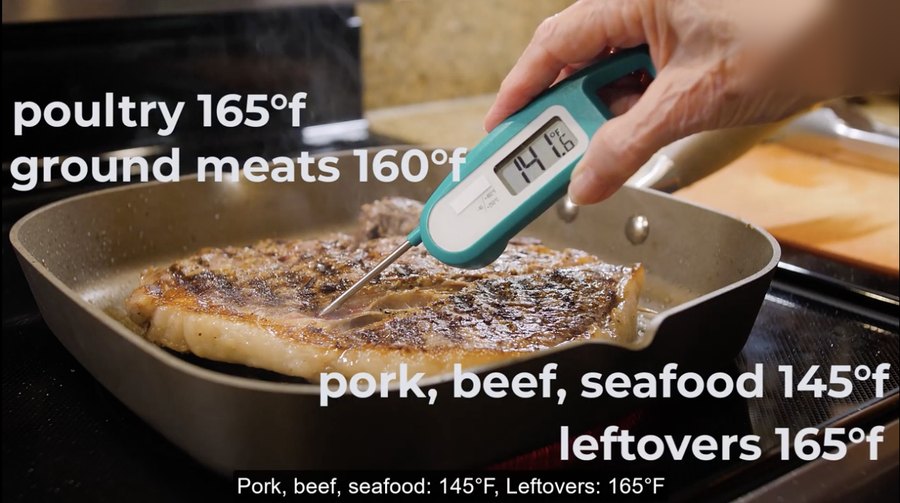
Health & Safety Essentials
The non-negotiables: safe food temperatures, infection control and immediate incident reporting among them.
04 · Design Decisions
Rules arrive as consequences, not policies.
Every requirement is shown protecting a specific person before it appears as text. The tempting shortcut is always named out loud — texting a call-off, skipping a care-plan step — so the honest mistake is the one the training plans for.
Before · Policy List
“Follow the care plan. Don't skip a step.”
After · Consequence-First
“Skipping a step can lead to confusion, missed care, or documentation issues — this tells you exactly how to support them, and how they want to be supported.”
The shortcut, named out loud
Texting a call-off. Skipping a care-plan step. The tempting-but-costly move is called out directly, so the honest mistake is the one the training actually plans for.
Escalation framed as competence
“Reach out to your branch — don't wait until you're at the client's door.” Asking early is modeled as a skill, not a failure.
05 · Craft Notes
The details that made it hold up in a real branch.
- 1
Rules arrive as consequences, not policies — every requirement is shown protecting a specific person before it appears as text.
- 2
The tempting shortcut is always named out loud — texting a call-off, skipping a care-plan step — so the honest mistake is the one the training plans for.
- 3
Software is taught as a do-it-now activity inside the video, with escalation framed as competence, not failure.
- 4
Every video is fully captioned, because caregivers watch in break rooms, on buses, and in branch offices.
Accessibility — WCAG 2.1 AA
Full captions on every video, plain-language rules stated as consequences rather than jargon, status and risk never carried by color alone, honest completion times, and a print job aid built to verified AA contrast.
07 · Artifacts
Read, download, or print the rest of the program.
Four companion pieces accompany this case study: the print case study, a one-page first-shift job aid, a representative storyboard of the “A Day in the Life” video, and an interactive mobile field guide — an independent prototype built to show the intended look and behavior, not client work.
Work With The Studio
Have training that needs to hold the line across every location?
Let's talk about what your rollout needs to get right.
Start a conversation →